
Client-Server vs Web-Based DME Software - The Truth that no one talks about.

The Core Advantage: Why Client-Server Solutions
Still Reign for DME Providers.
The Hybrid Powerhouse: Why Noble*Direct Redefines DME Billing Efficiency
Client-server vs. web-based DME Software : In today’s cloud-based DME Software world, it’s easy to assume that every business solution must be web-based. While web applications offer undeniable advantages in accessibility and broad deployment, for the specialized and critical operations of a Durable Medical Equipment (DME) provider, a robust Client-Server DME Software like Noble*Direct often provides an unparalleled level of performance, control, and reliability.
Let’s break down why, when it comes to managing your DME business efficiently, the traditional power of client-server DME Software can often outshine the perceived simplicity of web-based alternatives.
The Client-Server vs. Web-Based DME Software Divide: More Than Just Access
While web-based applications are accessed through a browser, client-server solutions like Noble*Direct are installed directly on your local network and workstations. This fundamental difference leads to several key advantages:
Unmatched Performance & Speed
The biggest differentiator often comes down to speed. Web applications rely heavily on your internet connection and the responsiveness of a remote server. Every click, every data retrieval, every report generation involves sending data across the internet.
With Noble*Direct, your data resides on your local server, and the application runs directly on your computer. This means:
Lightning-Fast Data Access: Pull up patient records, generate invoices, or run complex reports in fractions of a second, without internet latency.
Seamless Workflows: Your team can navigate the software with incredible fluidity, reducing wait times and boosting productivity, especially during peak hours.
For DME providers handling high volumes of claims, inventory, and patient data, this local processing power isn’t just a convenience; it’s a critical operational advantage.
Robust Reliability & Less Internet Dependency
What happens if your internet goes down for an hour? Or even for a day? For a web-based system, your operations grind to a halt.
Noble*Direct client-server DME software minimizes this risk. While some functions (like electronic claims submission) require internet access, the core application, patient data, and inventory management remain accessible and functional even if your connection falters. This ensures:
Uninterrupted Access: Continue serving patients, managing inventory, and processing essential tasks even during internet outages.
Local Control: You maintain greater control over your operational continuity, rather than being at the mercy of your Internet Provider or a remote server’s uptime.
Enhanced Security & Data Control
Protecting sensitive patient information (PHI) is paramount for any DME provider. With a client-server DME software, your data resides within your own robustly secured local network.
This offers:
Direct Control Over PHI: You dictate where your data lives, who has access, and how it’s backed up, adhering more easily to HIPAA regulations.
Reduced External Exposure: While no system is 100% impervious, keeping your most critical data behind your own firewalls and security protocols can significantly reduce the attack surface compared to data hosted on a third-party server in the cloud.
Deeper Integration & Customization
Client-server applications often provide deeper integration with your operating system and connected hardware, allowing for more tailored workflows and specialized functionalities. This can be crucial for:
Having full access to backend database: No limitations to what DME providers can do outside the platfrom to streamline more of their business operations / procedures & processes.
Specialized Hardware:Connecting seamlessly with barcode scanners, label printers, or other dedicated DME equipment.
Custom Reporting: Generating highly specific, complex reports using the full processing power of your local server, often with greater flexibility than web-based report generators.
Unmatched Performance & Speed
62% Reduction in "Time to Interactive" (TTI): Client-server applications allow users to interact with data significantly faster than web-based apps, which often face "hydration" delays (the time it takes for a browser to turn a web page into a functional app).
Performance & Speed
Zero Latency "Refreshes": Since data travels over a Local Area Network (LAN) at speeds up to 10 Gbps rather than a standard internet connection (often 100–500 Mbps), database queries can return results up to 20x faster than a web browser fetching from a cloud server.
Full Database Access
Having "full access" to the backend database means your data is no longer trapped inside the software's user interface (UI). While most web-based platforms only let you see what their developers planned for you to see, a client-server solution like Noble*Direct allows you to treat your data as a raw asset.
The Power of Full Access to Database
that Web-Based Solutions lack
Most DME software has built-in reports (e.g., “Sales by Month”). But what if you want to cross-reference unbilled claims against specific warehouse zip codes to optimize delivery routes?
- Beyond the Platform: You can connect tools like Microsoft Power BI, Tableau, or Excel directly to your SQL database.
- The Benefit: You can build custom dashboards that update in real-time, helping you spot trends—like a sudden spike in denials from a specific doctor—before they hit your bottom line.
4 Key Capabilities Enbabled by Direct Database Access
Custom Business Intelligence: Connect directly to SQL to build live dashboards that track specific KPIs (like referral-to-delivery speed or denial trends by physician) without waiting for a vendor update.
Rapid Data “Healing”: Execute a single SQL command to correct thousands of administrative errors (like wrong billing codes or zip codes) in seconds across the entire patient database.
Private Automations: Build your own “hooks” to trigger automated text messages, emails, or status updates to patients the moment a specific record is created or updated. You can tr
Deep Forensic Auditing: Access hidden system logs and triggers to create unalterable audit trails for HIPAA compliance that go far beyond what a standard user log shows.
More Triggers Users can Implement
1. Financial & Billing Triggers
High-Value Claim Alert: Automatically trigger an internal “Priority Review” notification to your billing manager if a claim over $5,000 is created.
Denial Trend Alarms: Trigger an alert to your compliance officer if more than 10 denials from the same payer occur within a 1-hour window, allowing you to spot clearinghouse issues instantly.
Automatic Credit Holds: If a patient record is updated with a “Past Due” status, the database can trigger a block on any new equipment orders for that patient until the balance is cleared.
2. Operational & Inventory Triggers
Vendor Purchase Orders: The moment a stock level for a specific HCPCS code (like a CPAP mask) hits a “Minimum Threshold,” the database can trigger an automated PO email directly to your manufacturer.
Warehouse Sync: If an item is marked “Delivered” in your software, it can trigger a signal to your separate warehouse management system or GPS tracking software to log the driver back in.
3. Compliance & Security Triggers
Sensitive Record “Watchdog”: Trigger an immediate email to the IT Director if any user accesses a “VIP” patient record or attempts to export more than 50 records at once.
Audit Trail Freezing: Trigger a background “Snapshot” of a record the moment it is flagged for an audit, ensuring you have the exact state of the data as it existed the second the audit began.
4. Patient Experience (Clinical) Triggers
Resupply Reminders: Trigger a task in your CRM exactly 85 days after a 90-day supply is dispensed, so your team can call the patient for a refill before they run out.
Physician Follow-ups: Trigger a fax or secure message to the referring doctor the moment a patient’s equipment is successfully delivered, keeping the referral source in the loop automatically.
Client-Server Platform over Web-Based
| Capability | Noble*Direct (Client-Server) | Web-Based DME Software (SaaS)(Depends on how modernized the vendor is) |
| Direct SQL Queries | Yes. Connect Excel or Power BI directly. | No. You must export to CSV/Excel first. |
| Real-Time Triggers | Yes. The database can fire an event instantly. | No. You have to wait for the web app to “sync.” |
| Bulk Updates | Yes. Fix 5,000 records in one click. | No. You must edit records one-by-one in the UI, unless tool is built in. |
| Data Sovereignty | High. You physically own the hard drive. | Low. The vendor “leases” your data back to you. |
| Custom Integrations | Unlimited. Build whatever “hooks” you want. | Limited. Limited to the vendor’s pre-built “Marketplace.” |
How Noble*Direct Bridges the Gap between Client-Server & Web-Based Solutions
Noble*Direct offers cloud-hosting options where DME Providers can experience the best of the both worlds. The performance, stability, flexibility, control, user-friendliness of a client-server solution with the convenience & ease of access of a web-based solution.
The cloud-hosting option allows providers to install Noble*Direct within a cloud environment where users can access the environment through a web-browser.
By installing Noble*Direct in a cloud environment and accessing it via a browser, you are effectively using a private, secure tunnel to a high-end workstation. This allows your team to skip the typical “cloud lag” and work with the same raw speed they would have if the server were sitting in the next room.
The Noble*Direct Advantage: With browser-based access, scaling is instant. You can add a new biller today and have them productive in minutes just by providing a URL and login credentials. Noble House manages the backend updates, security patches, and SQL maintenance, giving you SaaS-style simplicity with Enterprise-level control.
Why Noble*Direct is the Best DME Software
for your Business:
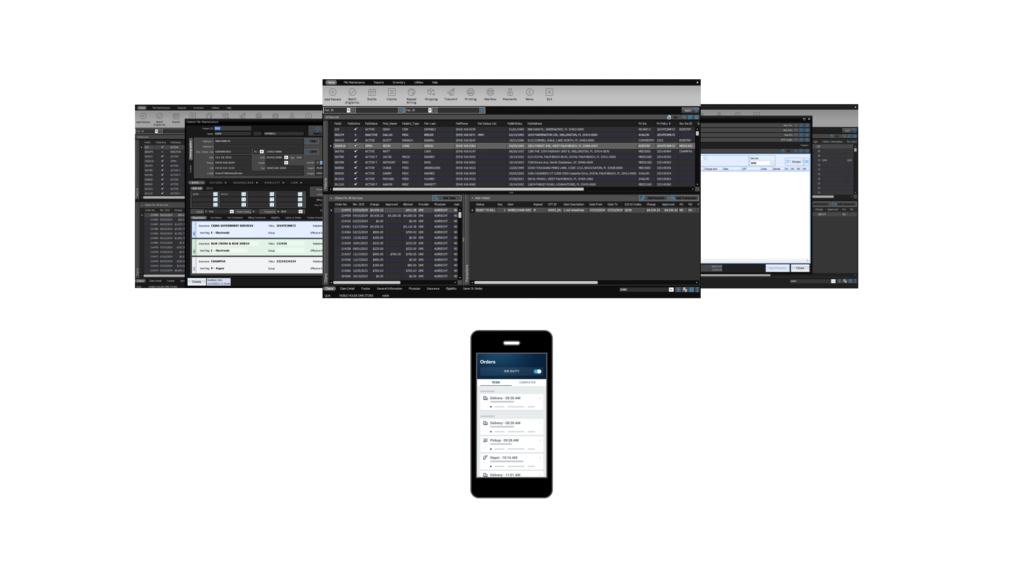
Noble*Direct is a high-performance, all-in-one business client-server DME Software designed specifically for Durable Medical Equipment (DME) and Home Medical Equipment (HME) providers to provide a unique patient experience.
Embedded within Noble*Direct are tools to streamline the intake, validation, shipping, delivery, inventory, billing, collections, reporting aspects of DME providers.
Noble*Direct is built on a Microsoft SQL Server database architecture. This client-server foundation is what allows it to handle the “heavy lifting” of medical billing while giving providers the data control that cloud-only competitors often restrict.
| Feature | Noble*Direct (Client-Server) | Standard Web-Based Solution |
| Processing Speed | Ultra-Fast: Local CPU handles heavy billing and inventory data instantly. | Variable: Performance depends on internet speed and browser lag. |
| Internet Dependency | Low: Can still view patient records and manage inventory if Wi-Fi drops. | High: Total work stoppage if the internet or the provider’s cloud goes down. |
| Data Security | Local Control: PHI (Patient Health Info) stays on your hardware behind your firewall. | Third-Party Trust: Your data lives on a remote server you don’t physically control. |
| Hardware Integration | Deep: Native support for local scanners, thermal label printers, and signature pads. | Limited: Browsers often struggle to communicate directly with specialized hardware. |
| HIPAA Compliance | Direct Oversight: You control the physical access and backup frequency of the server. | Shared Responsibility: You rely on the web vendor’s security protocols. |
| Multi-Tasking | Robust: Open multiple windows and high-resolution reports without slowing down. | Tab-Heavy: Browsers can become “memory hogs,” slowing down as more tabs open. |